
Changing a Google Document into a PDF file can be very useful. PDFs capture everything of a document that would be printed and can be forwarded to people to share the document with. When downloading a document as a PDF the pages can no longer be edited.
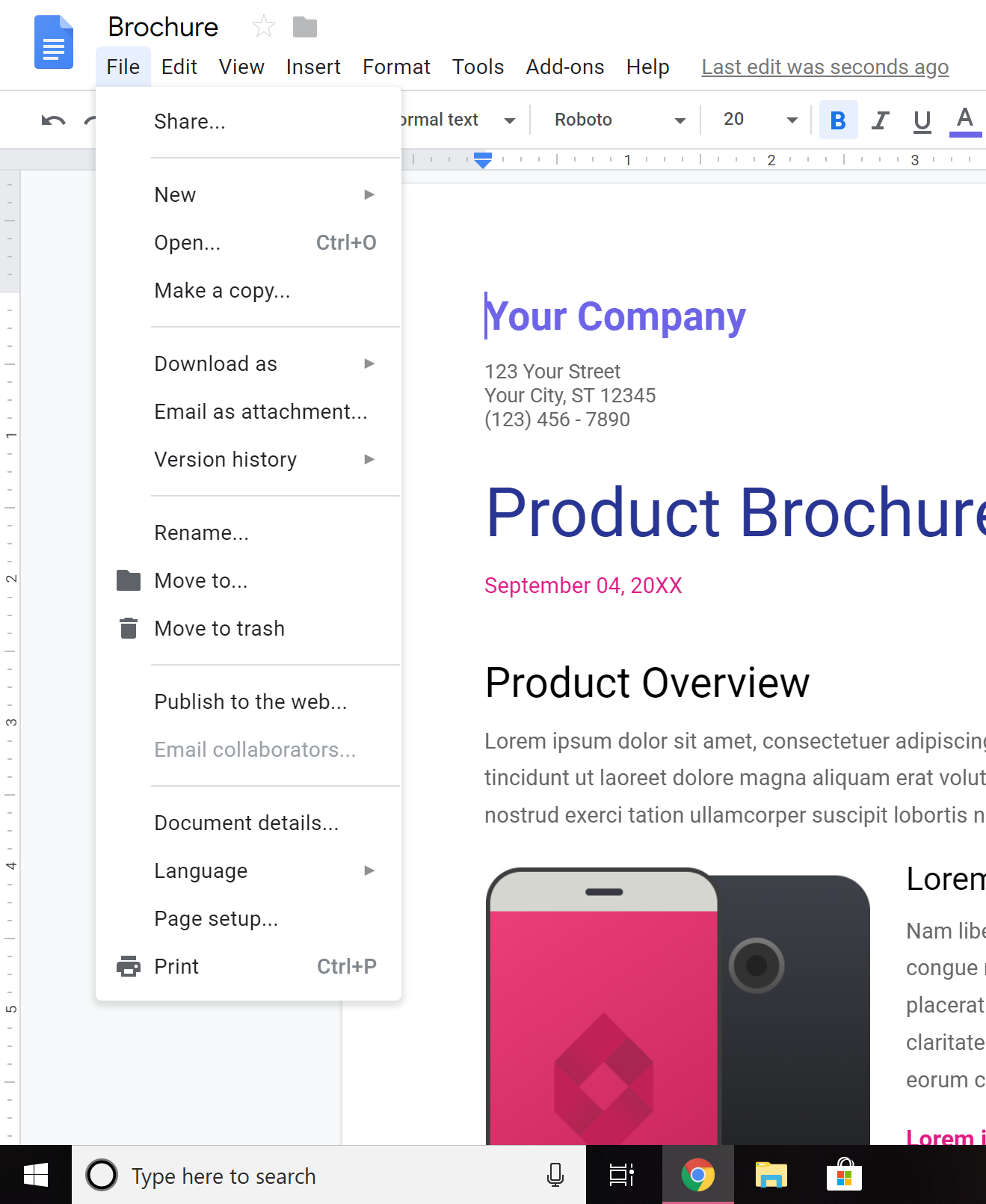
Step 1:
Go to the “file” option in the top left hand corner of the screen.
Step 2:
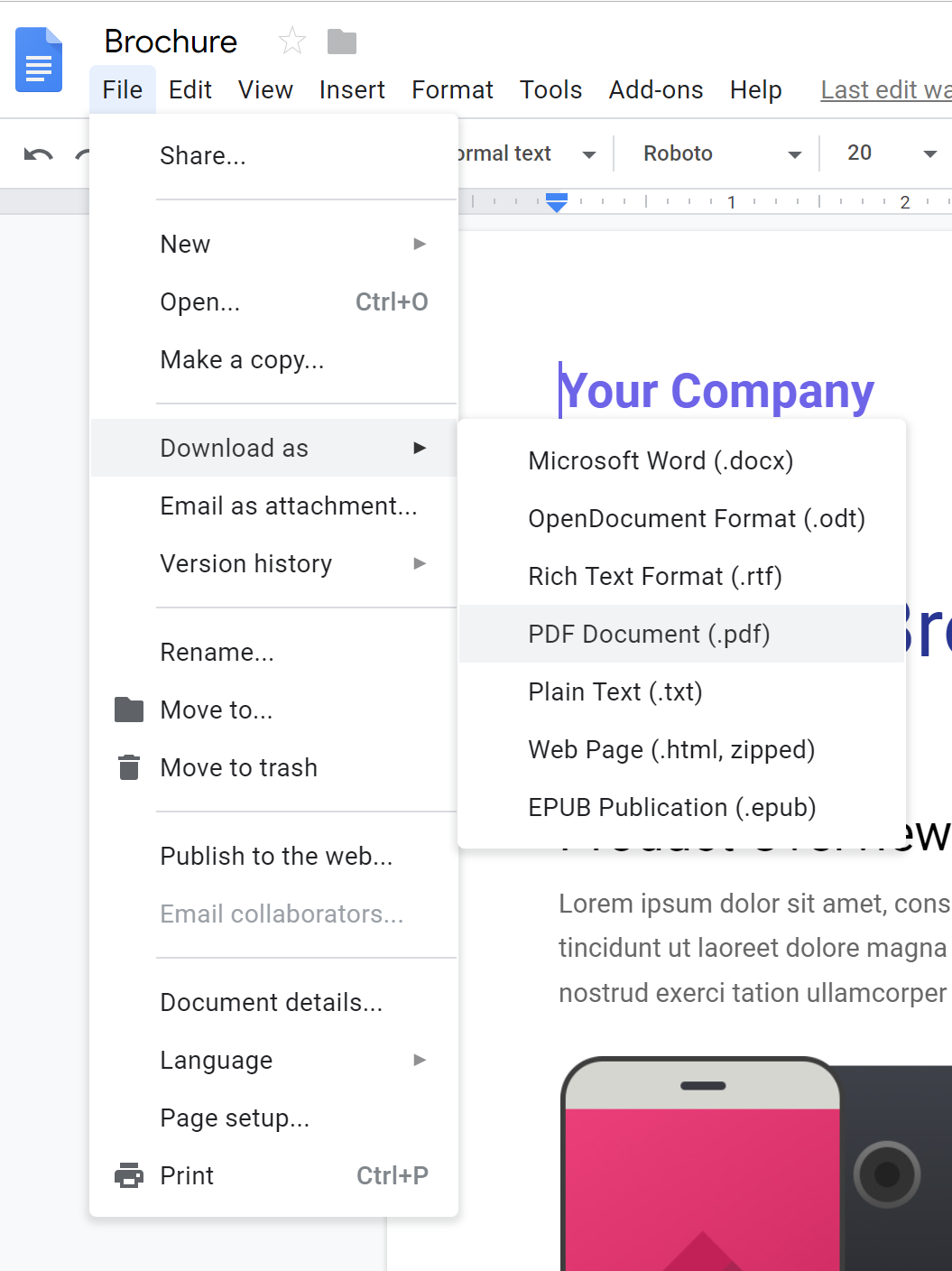
Hover over the “Download as” option and choose the PDF Document file.
STep
Step 3:
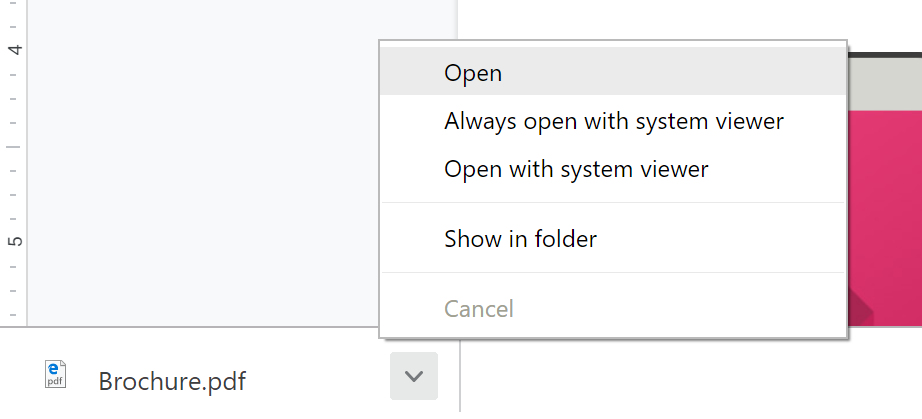
Once you do step 2 a pop up will appear at the bottom left corner of the screen showing that the PDF was downloaded. Once it finishes, Click the arrow and hit open.
Step 4:
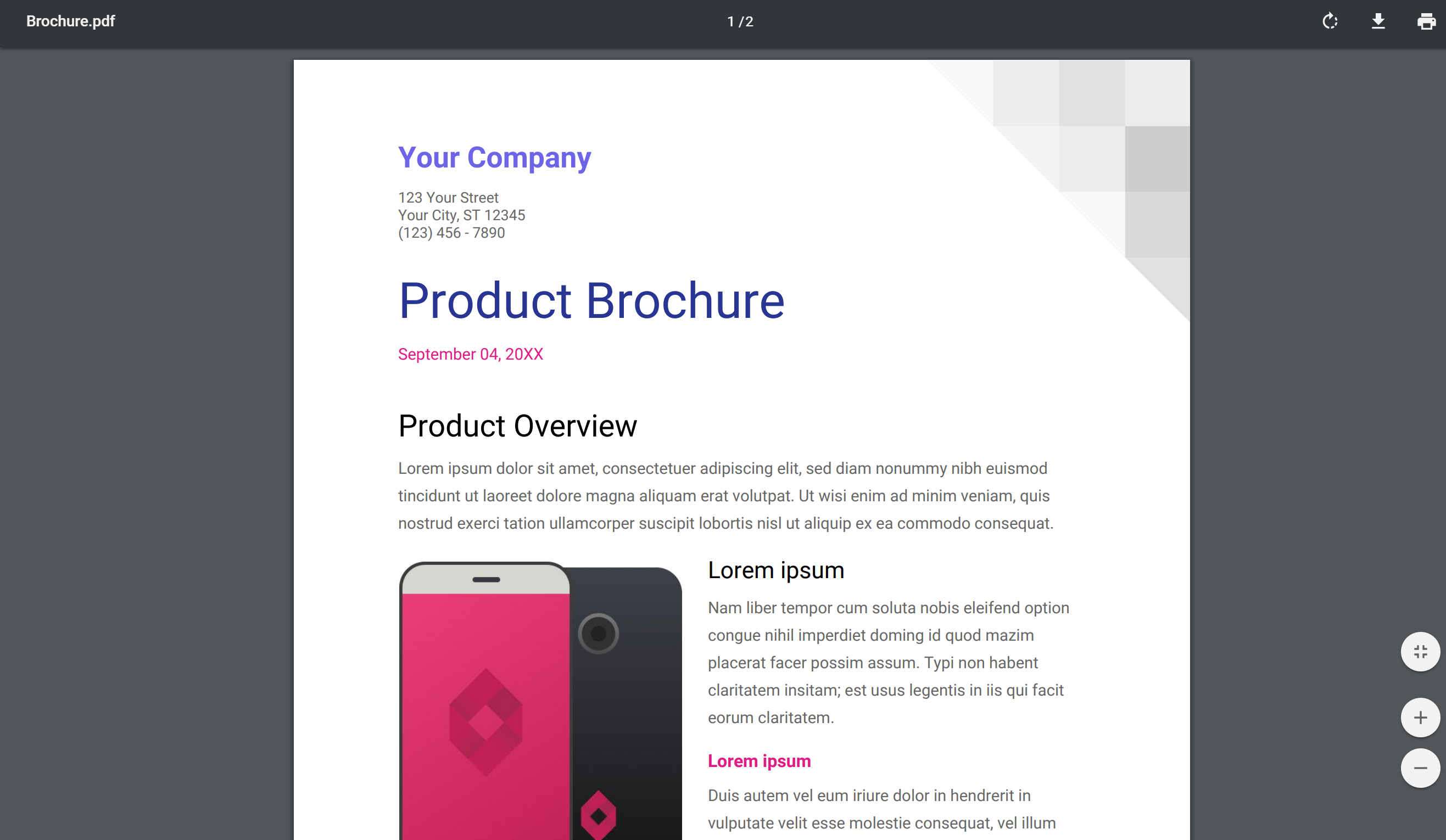
Once you have completed step 3 the file should open like this. This is the final PDF document and can be shared out to others to be printed without being edited.
 Erin's College Life